 JARIYAH
Your masjid’s app, on every member’s phone
Jariyah’s member app is your masjid’s own app on each member’s phone. It shows prayer and iqamah times, Jumu’ah sittings and events, the member’s giving history and pledges, and their official receipts. It opens from your masjid’s web address and can be saved to the home screen with your masjid’s name and icon.
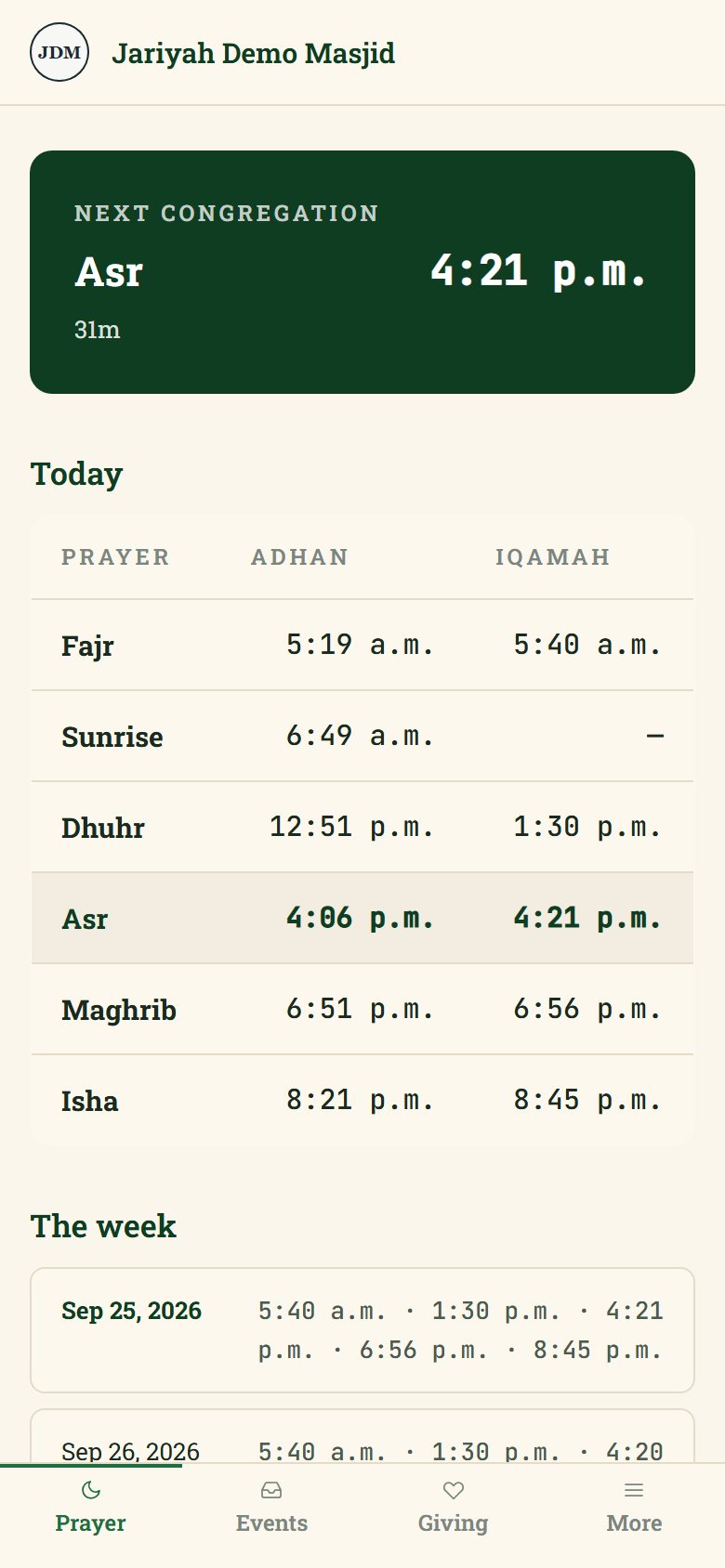
Member app
What it does
Prayer times
The next congregation with a countdown, today’s adhan and iqamah times, your Jumu’ah sittings and the week ahead — worked out from your masjid’s location and its own iqamah rules.
Events
Your masjid’s published events, on the clock in your building.
Giving history
Every gift the member has made, grouped by your masjid’s own year, with the totals.
Pledges
Members pledge to a campaign you offer in the app and can change their pledge. What has been paid is added up from real gifts, never typed in.
Receipts and a yearly statement
For a registered charity, an official receipt for one gift or a whole past year — and for anyone, a giving statement that says plainly it is not an official receipt.
Requests to the office
A member asks to change the name on their receipts, or to close their account, and sees the office’s answer in the app.
Parents and the madrasha
Parents the office invites see their child’s attendance, lessons, homework, progress and fees, mark homework done and read announcements.
Your masjid’s name on it
Your logo, footer, contact buttons and home-screen icon, named after your masjid — so someone who only wants prayer times installs it too.
How it works
How it works for a masjid
- 1
Turn it on
The app is switched on for your masjid and set up with your name, colours, contact details and prayer-time rules.
- 2
Members sign in
A member types their email and gets a sign-in link. Someone your masjid does not know yet fills in their own profile, with no staff typing.
- 3
Save it to the phone
It opens in the phone’s browser and can be saved to the home screen, with your masjid’s name and icon.
- 4
It stays current
Gifts, receipts and prayer times are always read fresh; the app never shows an old copy of them from its cache.
People
Who uses it
Members and donors
Prayer times, events, their own giving, pledges and receipts.
Parents
A page for each child in the madrasha, once the office invites them.
The office
Offers campaigns in the app, answers members’ requests and invites parents.
One platform
How it connects to the other services
- Donor managementThe app shows the same donor record the office keeps — one person, one record.
- MadrashaParents follow their children’s classes, homework and fees in the app.
- Donation kioskThe kiosk’s Tax receipt QR code opens a donor’s receipts here.
- Admin consoleCampaigns offered in the app are started from the console.
Questions
Member app: common questions
Do members have to download the app from an app store?
No. The member app opens from your masjid’s own web address in the phone’s browser, and a member can save it to the home screen, where it carries your masjid’s name and icon. Nothing has to be found or installed in an app store: sharing your masjid’s address is enough.
How do members sign in?
With their email address. The member types it and receives a sign-in link that works once and expires after thirty minutes, and they can add a password of at least twelve characters later. The screen answers the same way whether or not an address is known, so it never reveals who gives to your masjid.
Can members donate through the app?
Not today. Members give at the kiosk, or at the office by cash, cheque or e-transfer, and the app shows each of those gifts and every pledge they have made. The app itself does not take card payments, so nobody is asked for card details on their phone through it.
Can members get their tax receipts in the app?
Yes, when your masjid is a registered charity with official receipts turned on. A member can get an official receipt for a single gift, or for a whole past year once that year is over, after adding a mailing address. A gift is never put on two receipts, and a receipt never changes once issued.
Can a member delete their account?
A member can ask the office to close their account from the app. Closing it ends every session, removes the password and clears the email, phone and address, but keeps the name, donor number and donations, because a charity must keep the records behind the receipts it has issued.
Talk to us
Ask about the member app
We will show you the member app and set it up for your masjid, with your name, your people and your funds.