 JARIYAH
Donor management for your masjid
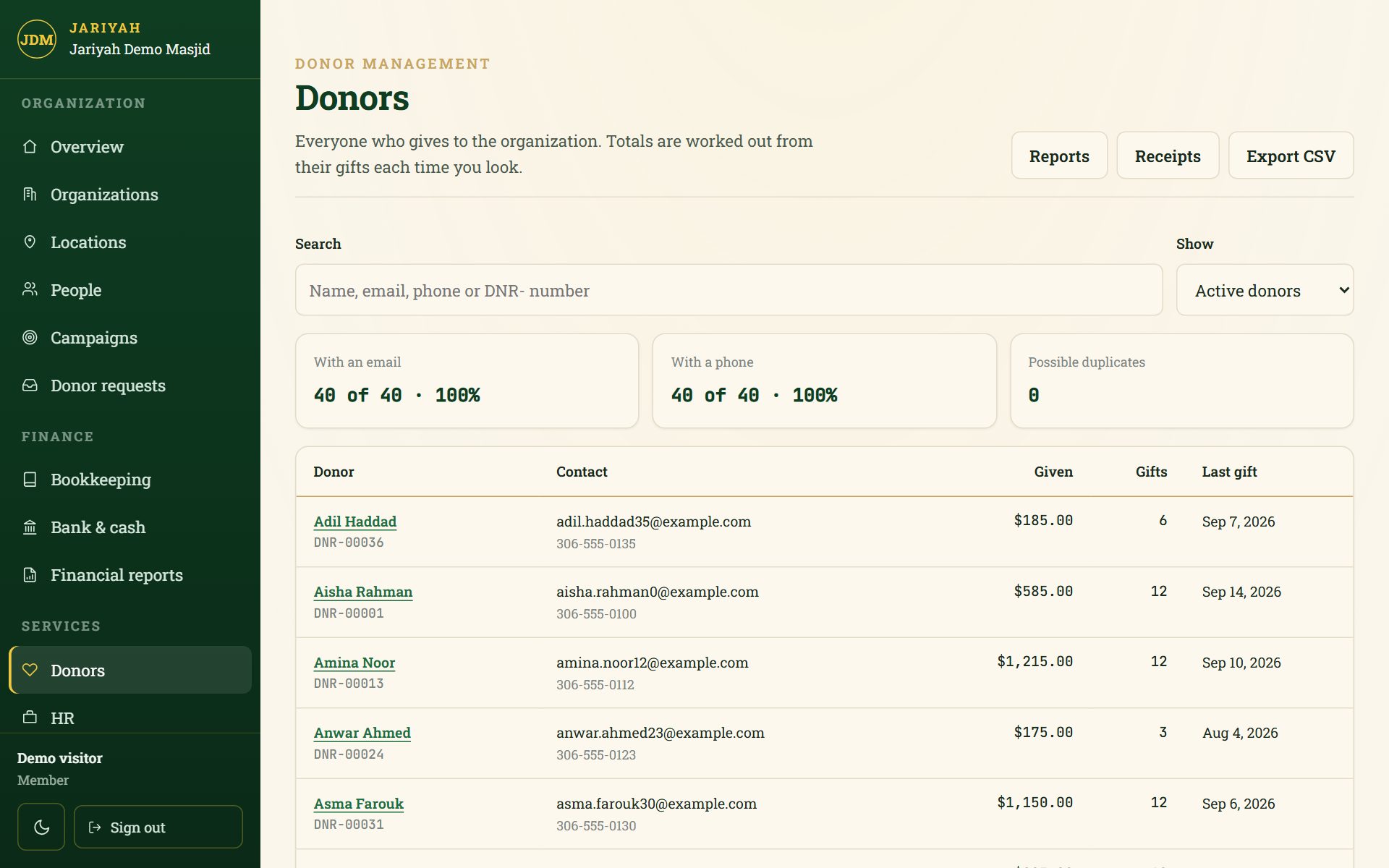
Jariyah’s donor management keeps one record per donor, with every gift the office records against it — cash, cheques and e-transfers — beside the kiosk’s card gifts in the totals. It issues official receipts for registered charities, follows pledges to campaigns, merges duplicate records and reports who gave, who lapsed and who is new.
Donor management
What it does
One record per donor
Each donor has a number (DNR-00001), contact details, an address and lifetime giving — totals worked out from the gifts every time, never typed in.
Gifts recorded at the office
Cash, cheques and e-transfers, dated in your masjid’s own calendar. A cheque number is accepted once per donor, and a cancelled gift stays on file with who, when and why.
Official receipts
Per gift or for a whole year, frozen when issued and numbered once. The annual run is safe to press twice; a wrong receipt is voided, keeps its number, and is replaced.
Campaigns and pledges
Promised, carried forward and received are shown side by side and never added together. A pledge is a promise, never counted as money received.
Duplicates, merged carefully
Records sharing a phone or a name are suggested, never merged by themselves. A merge records everything it moved, so it can be reversed exactly.
Import from a spreadsheet
A CSV file is previewed before anything is written, matched by email and then phone, and refused whole above 2,000 donors rather than half imported.
Giving reports
Gifts by day, month, year and channel against the same period before; retained, lapsed, new and reactivated donors, LYBUNT, SYBUNT and recurring givers.
Exports that match the screen
An export is exactly the filter on screen, every page of it, and opens cleanly in a spreadsheet.
How it works
How it works for a masjid
- 1
Bring your donors in
Import your donor list from a CSV file, or add donors one at a time.
- 2
Record what comes in
The office records cash, cheques and e-transfers; kiosk card gifts arrive by themselves.
- 3
Receipt it properly
Issue official receipts per gift, or run last year’s annual receipts in February. Donors see theirs in the member app.
- 4
Read the reports
See who gave, how, and who has lapsed, against the same period last year.
People
Who uses it
Owners and administrators
Record and cancel gifts, issue and void receipts, merge records and answer donor requests.
Staff and viewers
See donors, receipts and the receipt audit, without being able to issue or void.
The treasurer and the board
Read the giving reports and the year’s receipt audit, with a CSV for the accountant.
Donors
See their own gifts, pledges and receipts in the member app.
One platform
How it connects to the other services
- Member appDonors see their own record, receipts and pledges on their phone.
- BookkeepingA gift recorded at the office posts to the books in the same step.
- Donation kioskCard gifts from the kiosk count in every total and channel report.
- CRA complianceOfficial receipts are the part of CRA compliance a donor sees.
- Admin consoleDonors, campaigns and donor requests all live in the one console.
Questions
Donor management: common questions
Can Jariyah issue official donation receipts?
Yes, for a registered charity. Receipts stay off until the legal name, address, charity number, signer and place of issue are filled in. Each receipt is frozen when issued, numbered once and never edited; a wrong one is voided and replaced, and the voided receipt keeps its number on file.
Can one gift end up on two receipts?
No. A gift is on at most one active receipt, and the database itself refuses a second. An annual receipt leaves out gifts already receipted one by one, so running the year’s annual receipts twice issues nothing new for the donors the first run already covered.
Is a pledge counted as money received?
Never. A pledge is a promise. What has been paid is added up from the actual gifts that name the pledge, and the console shows promised, carried forward and received as three separate figures that are never added together, so a campaign never looks richer than it is.
How are duplicate donor records handled?
Jariyah suggests likely duplicates — donors sharing a phone number, or with the same name — but never merges them by itself. When a person merges two records, every moved gift and detail is recorded, so the merge can be reversed exactly, and the absorbed record is kept rather than deleted.
Can we import our existing donor list?
Yes, from a CSV file. The import previews every change before it writes anything, matches existing donors by email and then by phone, fills only empty fields and gives each new donor a DNR number. A file of more than 2,000 donors is refused whole rather than half imported.
What do LYBUNT and SYBUNT mean in the reports?
LYBUNT is a donor who gave last year but not yet this year; SYBUNT is a donor who gave in some year before last but not since. Jariyah’s reports also count retained, lapsed, new and reactivated donors, and recurring givers, meaning three or more gifts in the last twelve months.
Talk to us
Ask about donor management
We will show you donor management and set it up for your masjid, with your name, your people and your funds.